For parents who want to stay connected with a child without handing over a smartphone, the Gabb Watch 3e offers a simpler option. It is a kids’ smartwatch designed around communication and family safety, rather than apps, social media, or open internet access. Short version: it keeps the focus narrow.
Depending on the model, service plan, and network coverage, children can call or message approved contacts, while parents manage settings through a companion app. Location tools can help caregivers check where a child is, though GPS information may not always be exact or update instantly. The watch needs an active service plan for connected features, so families should check current pricing and coverage before buying. A small screen and limited features can be useful, but they also mean this is not a substitute for a phone in every situation.
This guide explains what the Gabb Watch 3e is, how its communication and location features work, and what parents may want to consider during setup. That includes contact controls, battery expectations, connectivity, and the child’s comfort wearing it through an ordinary day. Real life is less tidy than a product page: a watch can run low on power, lose signal, or feel distracting. Understanding those limits matters as much as knowing what the device can do.
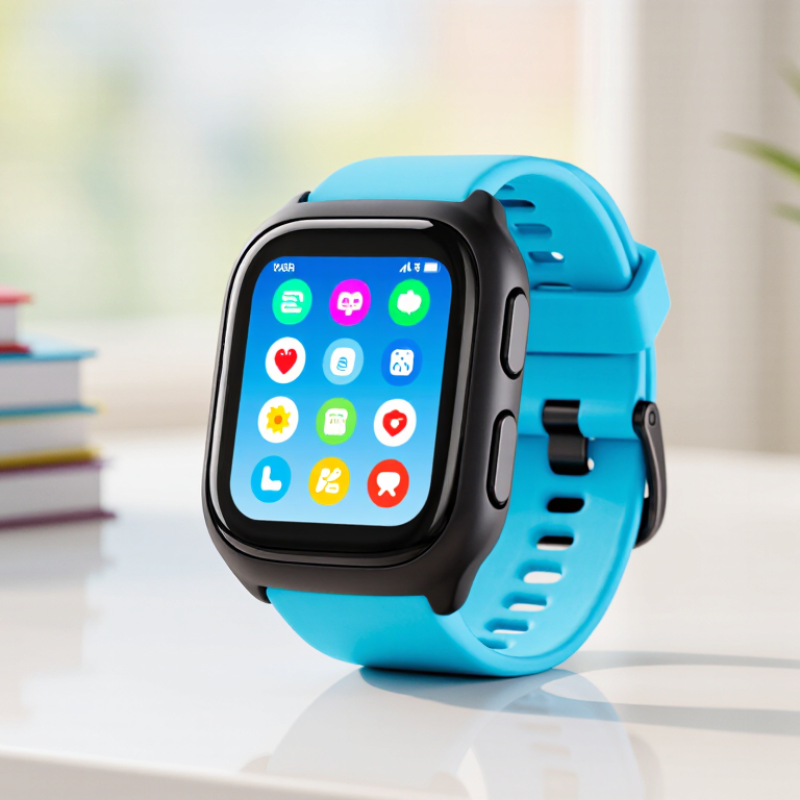
The Gabb Watch 3e is a child-focused smartwatch designed for communication without unrestricted smartphone access. It supports voice calls and text messaging with parent-approved contacts. Parents can usually manage contacts, location features, and selected settings through a companion app. The watch may also include GPS location sharing, activity tracking, alarms, and an emergency assistance function.
It is built for simple, supervised use. A child can tap a contact, send a short message, or check the time without browsing social media. The location feature can help parents understand whether a child arrived at school or returned home. Battery performance depends on cellular coverage, location updates, and daily use. Small details matter.
The device still needs thoughtful setup. Parents should review contact permissions, privacy settings, and classroom expectations before handing it over. Location accuracy may decrease indoors or near tall buildings. I would not treat the watch as a replacement for direct supervision. It is a communication aid, not a guarantee of safety. Children may also find the limited interface frustrating at first. That limitation can be useful, but it deserves regular review as their independence grows.
This child-focused LTE smartwatch combines location tools, communication, and basic activity tracking in a compact case. Its built-in GPS helps caregivers view a child’s approximate position through a paired app. Location accuracy can change near tall buildings or indoors. That limitation matters.
The watch supports voice calls and text messaging with approved contacts. A touchscreen provides access to calls, messages, contacts, and settings. Physical controls may help when small fingers move quickly or the screen feels difficult to use. It also includes an emergency assistance button, which can contact designated guardians when pressed. Setup requires an active cellular plan and careful contact permissions.
Caregivers can create safe zones, such as home or school, and receive alerts when the watch leaves them. School-focused settings can reduce distractions during class hours. Activity features may count steps and encourage movement, though they should not replace a medical-grade tracker. The rechargeable battery is practical for daily use, but frequent location updates can shorten runtime. Charging it overnight seems sensible. Water resistance may protect against splashes, yet users should check the official rating before swimming. Its design feels intentionally limited, and that is both useful and slightly frustrating. Less access means fewer distractions, but it also leaves fewer options for older children.
This chart summarizes the main hardware and safety features available on the 3e smartwatch. A value of 1 means the feature is included, while 0 means it is not included.
The watch uses cellular connectivity for calls and messages, GPS for location tracking and safe-zone alerts, and a touchscreen interface for child-friendly tools such as alarms, reminders, step counting, and an SOS function. Its water-resistant design supports everyday use around splashes and rain.
The child-focused smartwatch connects through a cellular network, not only nearby Wi-Fi. Its embedded SIM links the watch to supported mobile towers, allowing calls and short messages away from home. GPS adds location data, while Bluetooth may connect nearby accessories. GSMA Intelligence reported about 5.6 billion unique mobile subscribers worldwide in 2023, showing how widely cellular communication is established. Still, coverage can weaken inside buildings, elevators, or rural areas.
Communication is usually controlled through a guardian-managed contact list. Approved contacts can call or send messages, while unknown numbers remain blocked. The watch may also send location updates, voice messages, and emergency alerts through the cellular connection. Ericsson’s June 2024 Mobility Report estimated global mobile data traffic at roughly 145 exabytes per month by the end of 2023. A child’s messages use far less data, but reliability still depends on network congestion and signal strength.
The setup is practical. A guardian activates the service, adds trusted contacts, and checks permissions through a companion application. The child then taps a contact, presses call, or records a brief voice message. Simple controls matter.
Yet “real-time” location is not perfectly real-time. GPS can drift near tall buildings, and indoor positioning may rely on network estimates. That limitation deserves honest attention. Families should test calling, location updates, and battery performance in familiar places before relying on the watch during travel.
| Data Dimension | How It Works | Practical Details |
|---|---|---|
| Primary Purpose | Provides basic communication, location awareness, and safety features for children. | It is designed to support supervised communication rather than unrestricted smartphone use. |
| Mobile Network Connection | A compatible cellular connection allows the watch to send and receive calls, messages, and location data away from Wi-Fi. | Coverage, network availability, and an active service plan affect communication reliability. |
| Location Detection | The watch can combine satellite positioning with cellular and nearby Wi-Fi information to estimate its location. | Outdoor positioning is generally more precise than indoor positioning. Buildings, weather, and signal obstruction can reduce accuracy. |
| Voice Communication | Approved contacts can communicate with the watch through a built-in microphone and speaker using the cellular network. | Calling is normally limited to contacts authorized by the supervising adult. |
| Messaging | The watch may support short text, voice, emoji, or preset messages, depending on the software and service configuration. | Message availability can vary by region, account settings, network service, and the connected caregiver application. |
| Caregiver Management | A paired caregiver application is used to manage approved contacts, review location information, and adjust safety settings. | The adult generally needs a compatible smartphone, an account, and internet access for remote management. |
| Emergency Assistance | An emergency button or shortcut can notify designated contacts and may share the watch's current location. | Emergency features depend on battery power, cellular coverage, device settings, and the availability of the configured contacts. |
| Safe-Contact Controls | The supervising adult can typically restrict communication to a predefined list of trusted contacts. | These controls help reduce unknown calls and messages while keeping approved communication available. |
| School or Quiet Mode | Scheduled quiet periods can limit entertainment and nonessential notifications during school or other activities. | Emergency access and permitted functions may remain available, depending on the configured settings. |
| Battery Operation | A rechargeable battery powers the display, cellular radio, positioning hardware, sensors, and other functions. | Frequent calls, location updates, weak signals, and high screen use can shorten the time between charges. |
| Internet Dependence | Remote settings, location updates, and app-based communication require data connectivity between the watch, network, and caregiver device. | Features may be delayed or unavailable when the watch is powered off, out of coverage, or disconnected from the service. |
| Privacy and Data Handling | Location, contact, and communication data may be processed by the watch, mobile network, and related software services. | Adults should review permissions, account security, contact access, and applicable privacy policies before use. |
| Key Limitations | The watch cannot guarantee continuous communication or perfectly accurate real-time location. | Performance can be affected by network outages, indoor environments, low battery, blocked signals, software issues, and regional service restrictions. |
A child-focused cellular watch is managed through a parent’s companion app. Setup usually begins with charging the watch, installing the app, and scanning the pairing code. Keep the watch near the phone during activation. A stable Wi-Fi connection helps prevent failed steps. The app may request location, contacts, and notification permissions. Parents should review each request instead of accepting everything automatically.
Parents can create an approved contact list, then test calls and messages from both devices. Enter each number carefully. A single wrong digit can cause confusion. Many models also offer location viewing, school-time settings, alarms, and activity tools. These controls should match the child’s daily routine. For example, parents might allow calls during a walk home but limit notifications during class. Location updates can drain the battery, so check battery levels before leaving home.
Management needs occasional attention. Review contacts after family changes, install available software updates, and inspect privacy settings. The watch may show an inaccurate location indoors or near tall buildings. That limitation matters. Parents should not treat the map as a perfect safety guarantee. I would also test the emergency process calmly, because children may forget complicated instructions. Simple practice works better. Keep the charging cable in one fixed place, and explain when the watch should be worn, removed, or reported missing.
A cellular children’s watch combines voice calling, approved contacts, GPS location, and an SOS button. Parents usually manage contacts through a companion app. The watch may also offer school mode, step tracking, and scheduled location updates. These controls reduce open internet access, which matters as 95% of U.S. teenagers had smartphone access in 2023, according to Pew Research Center.
However, its safety tools have clear limits. GPS can drift near tall buildings, indoors, or under weak network coverage. Location updates may also stop when the battery is empty. An SOS button sends an alert, but it does not replace emergency services or adult supervision. The device collects sensitive location and communication data, so families should review storage, sharing, and deletion policies. The Federal Trade Commission recommends limiting children’s data collection and obtaining appropriate parental consent under applicable privacy rules.
Tips: Test the SOS feature outdoors and indoors. Confirm every approved contact. Set a charging routine before school. Teach children that unknown callers remain unsafe, even on a restricted watch.
A 2024 GSMA report noted that mobile connectivity depends on reliable network coverage, device capability, and power access. That sounds obvious, yet families often overlook it. I would not treat the watch as a miniature guardian. It is better understood as a controlled communication tool, with useful boundaries and frustrating gaps.
It supports supervised calls, short messages, location sharing, alarms, and basic activity tracking. It avoids unrestricted smartphone access.
Yes. Parents can approve contacts and manage selected settings through a companion app. Review permissions carefully before use.
GPS usually shows an approximate position. Accuracy may decrease indoors, near tall buildings, or during weak cellular coverage.
Parents can create safe zones around places such as home or school. Alerts may appear when the watch leaves those areas.
Some settings can reduce distractions during class hours. However, each school may have different expectations. Check with teachers.
Battery life depends on coverage, location updates, calls, and daily use. Frequent tracking can shorten runtime. Overnight charging is practical.
No. It can contact designated guardians when pressed, but it cannot replace direct supervision or emergency planning.
Water resistance may protect against splashes. Check the official rating before swimming. Do not assume full waterproof protection.
Its limited interface reduces distractions, but older children may find it frustrating. Review the settings as independence grows.
The Gabb Watch 3e is a connected watch designed to help children stay in touch with their families while giving parents tools to guide its use. Its hardware and features bring together everyday communication and practical functions in a wearable device. Rather than relying on a child to manage a separate phone, the watch offers a simple way to reach approved contacts and use its available features throughout the day.
The watch connects through a compatible service and can be configured by a parent or guardian, who can manage settings and communication options. Safety features are intended to support family oversight, but they do not replace supervision or guarantee a child’s safety. Coverage, connectivity, battery life, and available functions may also affect how well it works in different situations. Understanding both its capabilities and limitations can help families decide whether the Gabb Watch 3e suits their needs and set clear expectations for its use.